Sometimes I watching how ours software engineers tried delete last error’s commit. And I decided to write little note about this.
Remove commit from local machine.
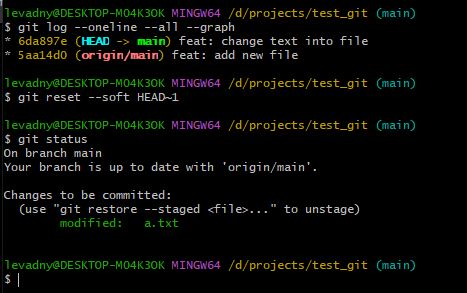
#Cancel last commit but save all last changes in index stage
git reset –soft HEAD~1
#Cancel last commit but save all last changes in work directory
git reset –mixed HEAD~1
#Warning! Cancel last commit and remove all changes from work directory and index stage too
git reset –hard
And remove commit from server – I understand that this action is not good but it may be needed.
Sometimes options for Git in server side don’t allow change history. But you can try cancel commit.
#rewrite some commit
git revert hashOfCommit
You can use this command for any commits but you must notice than you can create mess in repo.
And danger command for totally change history in repo.
#danger command that can rewrite history in server
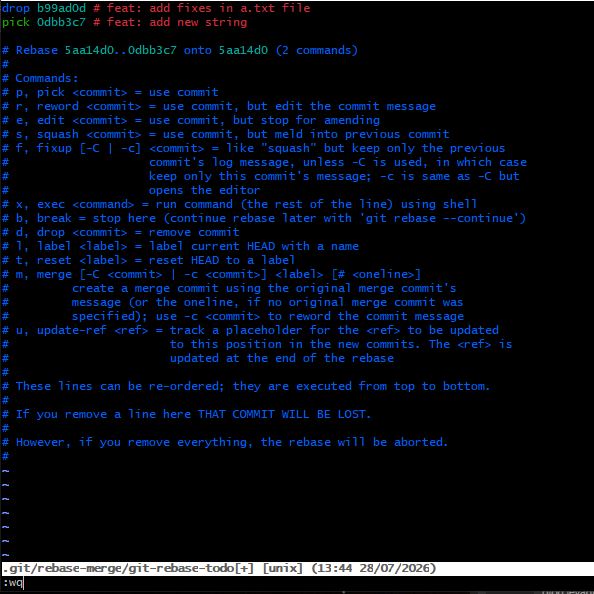
git rebase -i HEAD~N
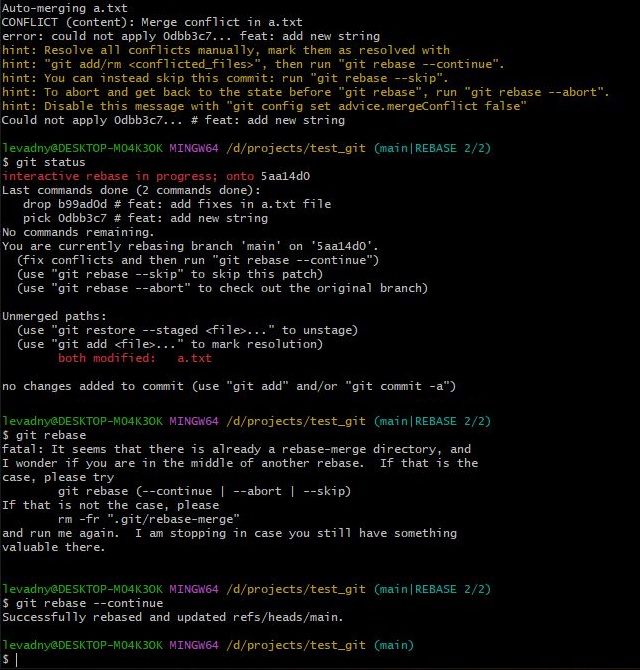
Where N – is count of last commits. After this command in opening editor we must find string with our error’s commit and change “pick” to “drop”. But it’s not good practice. You can use this method for remove any commits as a new commit and oldiest commit too.
On picture for example actions for git reset and git rebase.